はじめに
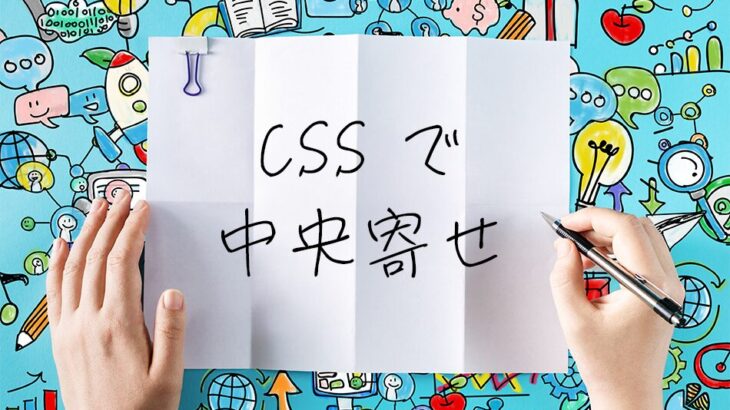
CSSで要素を中央寄せする方法は数多くありますが、どの方法を使えばよいか迷ったことはありませんか?この記事では、水平中央寄せ、垂直中央寄せ、そして完全中央寄せの全手法を、すぐにコピペできるコード例とともに徹底解説します。
 水平中央寄せの方法
 水平中央寄せの方法
① text-align: center;(インライン要素・テキスト)
適用場面: テキストやインライン要素を中央寄せしたい場合
■ HTML
<div class="parent">
  <span>中央寄せされるテキスト</span>
</div>
■ CSS
.parent {
  text-align: center;
}
② margin: 0 auto;(ブロック要素)
適用場面: 幅が決まっているブロック要素を中央寄せしたい場合
■ HTML
<div class="center-block">
  中央寄せされるブロック要素
</div>
■ CSS
.center-block {
  margin: 0 auto;
  width: 300px; /* 幅を指定する必要がある */
}
③ display: flex;(モダンな方法)
適用場面: 柔軟なレイアウトが必要な場合
■ HTML
<div class="flex-parent">
  <div>中央寄せされる要素</div>
</div>
■ CSS
.flex-parent {
  display: flex;
  justify-content: center;
}
垂直中央寄せの方法
 垂直中央寄せの方法
① line-height(単行テキスト)
適用場面: 単行テキストを垂直中央寄せしたい場合
■ HTML
<div class="vertical-text">
  垂直中央寄せテキスト
</div>
■ CSS
.vertical-text {
  height: 100px;
  line-height: 100px; /* heightと同じ値 */
}
② display: flex;(複数行テキスト・推奨)
適用場面: モダンで柔軟な垂直中央寄せが必要な場合(複数行テキストにも対応)
■ HTML
<div class="flex-vertical">
  <div>垂直中央寄せされる要素</div>
</div>
■ CSS
.flex-vertical {
  display: flex;
  align-items: center;
  height: 200px; /* 要素の高さ */
}
③ align-content: center;(ブロック要素にも対応)
適用場面: flexやgridを使わず、ブロック要素単独で垂直中央寄せしたい場合(モダンブラウザ対応)
■ HTML
<div class="align-content-center">
  <p>ブロック要素でも<br>垂直中央寄せ</p>
</div>
■ CSS
.align-content-center {
  align-content: center;
  height: 200px; /* 要素の高さ */
}
※ align-contentがブロック要素でも使えるようになったのは比較的新しい仕様(2024年以降の主要ブラウザで対応)です。古いブラウザもサポートする場合はdisplay: flex;を使いましょう。
完全中央寄せ(水平・垂直同時)の方法
 完全中央寄せ(水平・垂直同時)の方法
① display: grid; + place-items: center;(最もシンプル・推奨)
適用場面: 最も記述量が少なくシンプル。2020年以降の全モダンブラウザで安全に使用可能
■ HTML
<div class="grid-center">
  <div>Grid中央寄せ</div>
</div>
■ CSS
.grid-center {
  display: grid;
  place-items: center;
}
② display: flex;(汎用性が高い定番)
適用場面: 複数の子要素を扱う場合や、横並び・縦並びを切り替えたい場合に最適
■ HTML
<div class="flex-center">
  <div>完全中央寄せされる要素</div>
</div>
■ CSS
.flex-center {
  display: flex;
  justify-content: center; /* 水平中央 */
  align-items: center; /* 垂直中央 */
}
③ flex + margin: auto;(最短記述)
適用場面: 子要素が1つだけの場合、最も短いコードで中央寄せできる
■ HTML
<div class="flex-margin-auto">
  <div class="child">シンプル中央寄せ</div>
</div>
■ CSS
.flex-margin-auto {
  display: flex;
}

.flex-margin-auto .child {
  margin: auto;
}
④ position: absolute; + transform
適用場面: 要素のサイズが不明な場合や、他の要素に重ねて配置したい場合
■ HTML
<div class="absolute-center">
  <div class="absolute-center-item">
    サイズ不明でも中央寄せ
  </div>
</div>
■ CSS
.absolute-center {
  position: relative;
}

.absolute-center-item {
  position: absolute;
  top: 50%;
  left: 50%;
  transform: translate(-50%, -50%);
}
⑤ position: absolute; + inset
適用場面: モダンブラウザでのシンプルな記述(要素のサイズが既知の場合)
■ HTML
<div class="inset-center">
  <div class="inset-center-item">
    insetを使った中央寄せ
  </div>
</div>
■ CSS
.inset-center {
  position: relative;
}

.inset-center-item {
  position: absolute;
  inset: 0;
  margin: auto;
  width: 200px; /* 要素の幅 */
  height: 100px; /* 要素の高さ */
}
よくある問題と解決法
問題1:margin: 0 auto; が効かない
原因: 要素にwidth(幅)が設定されていない、または display: inline; になっている
/* NG例 */
.ng-example {
  margin: 0 auto; /* widthがないため効かない */
}

/* OK例 */
.ok-example {
  width: 300px; /* または max-width */
  margin: 0 auto;
}
問題2:flexboxで子要素が縦に伸びる
原因: align-itemsのデフォルト値がstretchになっている
/* NG例 */
.flex-stretch {
  display: flex;
  justify-content: center;
  /* align-items: stretch; デフォルト値 */
}

/* OK例 */
.flex-no-stretch {
  display: flex;
  justify-content: center;
  align-items: center; /* または flex-start */
}
問題3:position: absolute;で親要素からはみ出る
原因: 親要素に position: relative; が設定されていない
/* NG例 */
.parent {
  /* position: relativeがない */
}

.child {
  position: absolute;
  top: 50%;
  left: 50%;
}

/* OK例 */
.parent {
  position: relative; /* 必須 */
}

.child {
  position: absolute;
  top: 50%;
  left: 50%;
  transform: translate(-50%, -50%);
}
ブラウザ対応表
2026年現在、以下の手法はすべての主要モダンブラウザ(Chrome / Firefox / Safari / Edge)の最新版で安定して動作します。なお、Internet Explorer 11は2022年6月15日にMicrosoftの公式サポートが終了しているため、対応表の対象から外しています。
| 手法 | Chrome | Firefox | Safari | Edge | 備考 |
|---|---|---|---|---|---|
| margin: 0 auto | ✓ | ✓ | ✓ | ✓ | 古くから安定 |
| text-align: center | ✓ | ✓ | ✓ | ✓ | 古くから安定 |
| display: flex | ✓ | ✓ | ✓ | ✓ | 定番のモダン手法 |
| display: grid | ✓ | ✓ | ✓ | ✓ | 2017年以降対応 |
| place-items: center | ✓ | ✓ | ✓ | ✓ | 2020年以降Baseline対応 |
| position + transform | ✓ | ✓ | ✓ | ✓ | サイズ不明時に有効 |
| inset | ✓ | ✓ | ✓ | ✓ | 2021年以降対応 |
| align-content(block) | ✓ | ✓ | ✓ | ✓ | 2024年以降対応 |
まとめ
CSSの中央寄せには多くの方法がありますが、現在のWeb開発では用途に応じてflexboxまたはgridを使い分けるのがおすすめです。どちらも柔軟性が高く、ブラウザ対応も良好で、レスポンシブデザインにも対応しやすいためです。
迷った時の選択指針:
- テキスト:
text-align: center; - ブロック要素(幅固定):
margin: 0 auto; - シンプルに完全中央寄せ:
display: grid; +place-items: center; - 複数要素や柔軟なレイアウト:
display: flex; +justify-content: center; +align-items: center; - サイズ不明な要素を中央寄せ:
position: absolute; +transform: translate(-50%, -50%);
この記事のコード例をそのままコピペして、あなたのプロジェクトに活用してください。中央寄せで困った時は、ブックマークしてご活用いただければ幸いです。